
Conversations: TikTok DMs and Comments
has streamlined managing TikTok conversations, allowing you to automate replies and capture leads efficiently, all from a single interface. In this article, we’ll walk you through the key features of TikTok DMs and Comments Automation, how to use them, and the benefits they can bring to your business.
Key Features and Benefits
1. Centralized Conversation Management:
You can manage all TikTok messages and comments directly from your conversation inbox. This means no more switching between different tools or platforms to handle your TikTok communications, allowing you to stay organized and responsive.
2. Automated Replies to DMs:
With TikTok DMs automation, you can set up automated flows to ensure that your audience receives consistent and timely responses. This helps maintain engagement and gives you the ability to respond to messages instantly without needing to manually intervene in every interaction.
3. Comment Automation:
Automatically reply to TikTok comments with customized responses. This feature can help enhance user engagement and interaction on your posts, leading to more opportunities for conversion and improved visibility on the platform.
4. Lead Capture and Conversion:
By integrating TikTok messages and comments into your conversation flow, you can seamlessly capture leads and track them through your sales pipeline. This feature helps turn your interactions into tangible business opportunities.
How to Use TikTok DMs and Comments Automation
Step 1: Connect TikTok DMs
- Go to Settings > Integration, and find and click the Connect button where it shows TikTok Messaging.
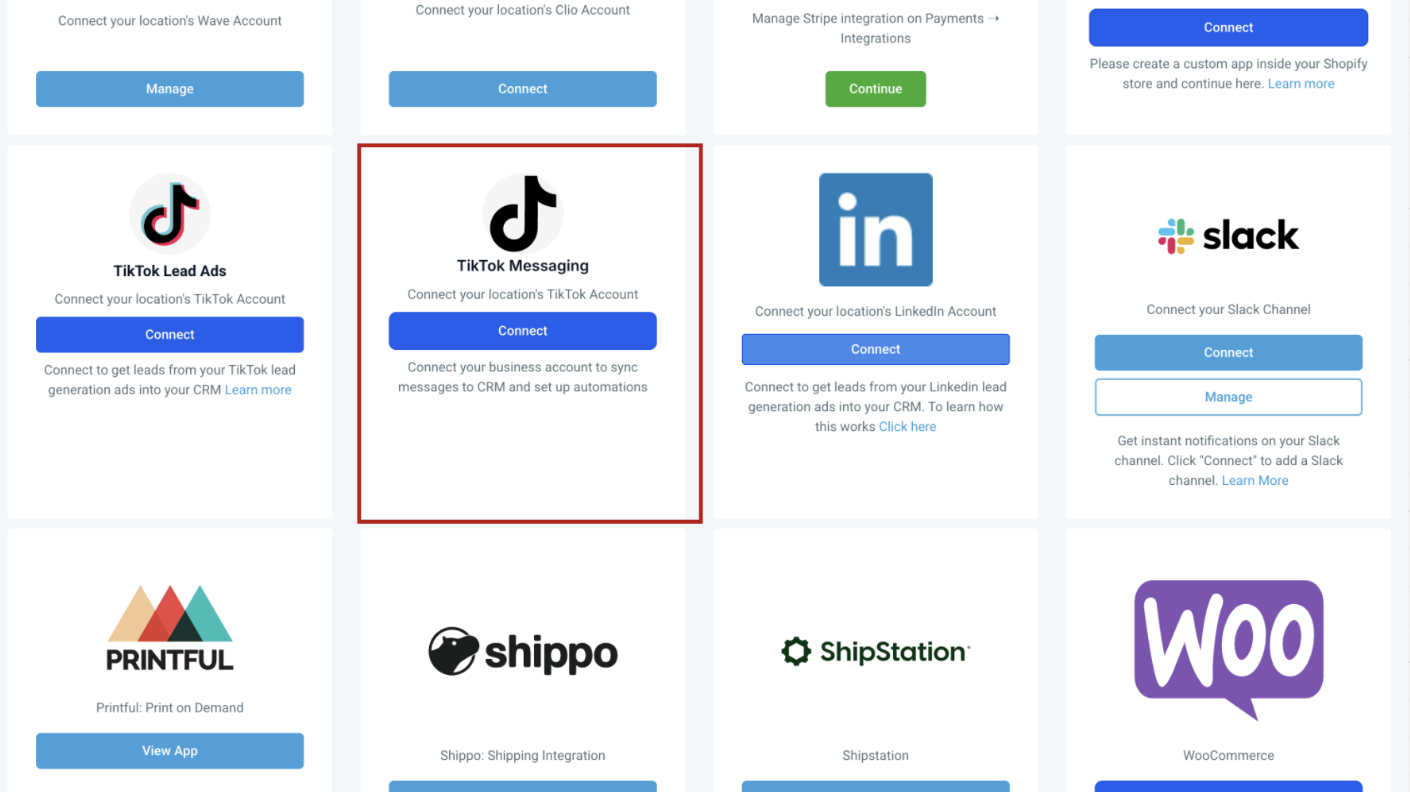
- Connect your TikTok account by following the prompts to link it with your account.
- Once connected, incoming TikTok messages will automatically appear in your Conversation Inbox for easy access.
- Step 2: Set Up a Workflow for DM through TikTok
- Navigate to the Automations > Workflows.
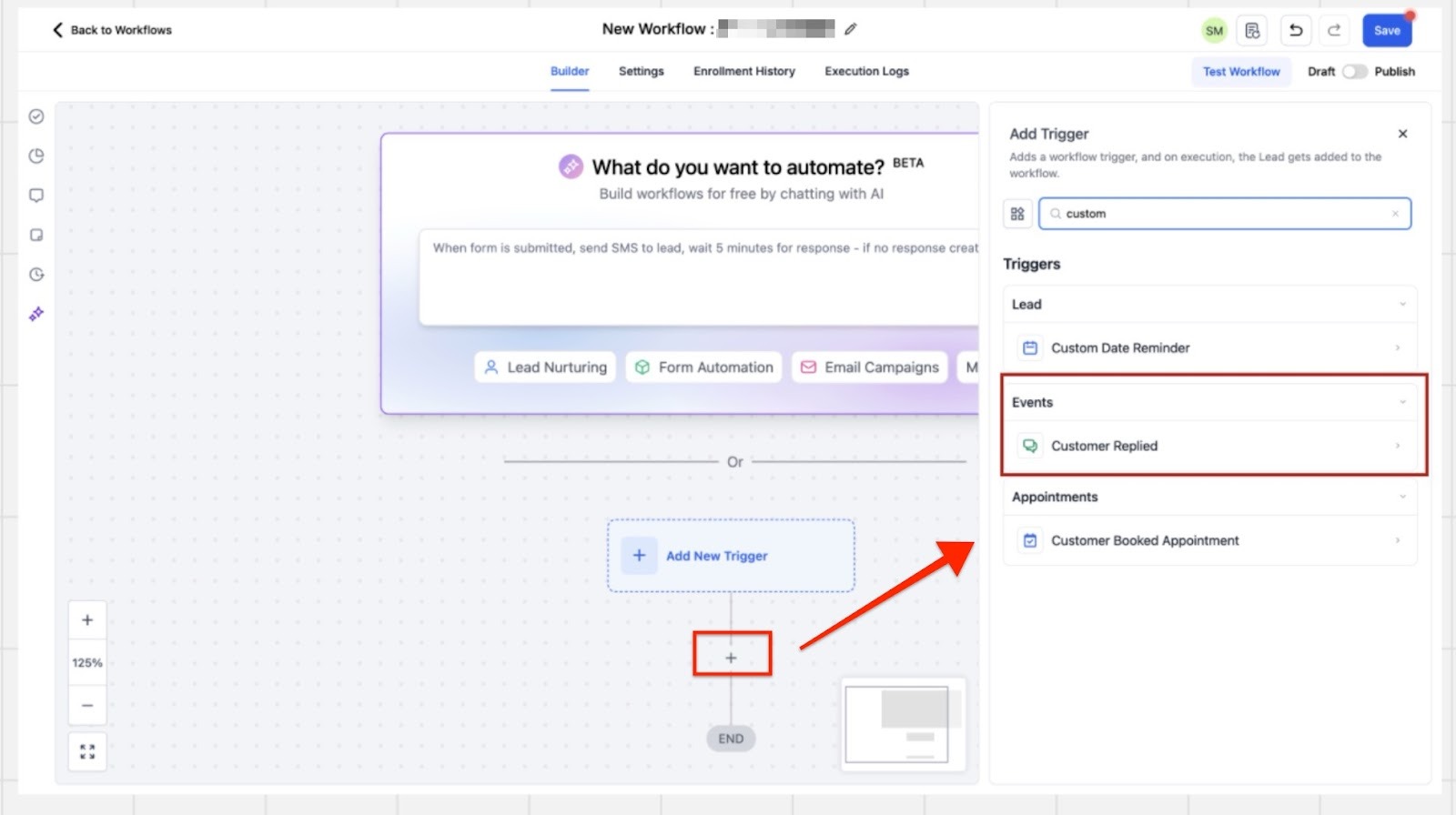
- Create a new workflow or edit the existing one for TikTok DMs by setting the trigger as "Customer Replied."
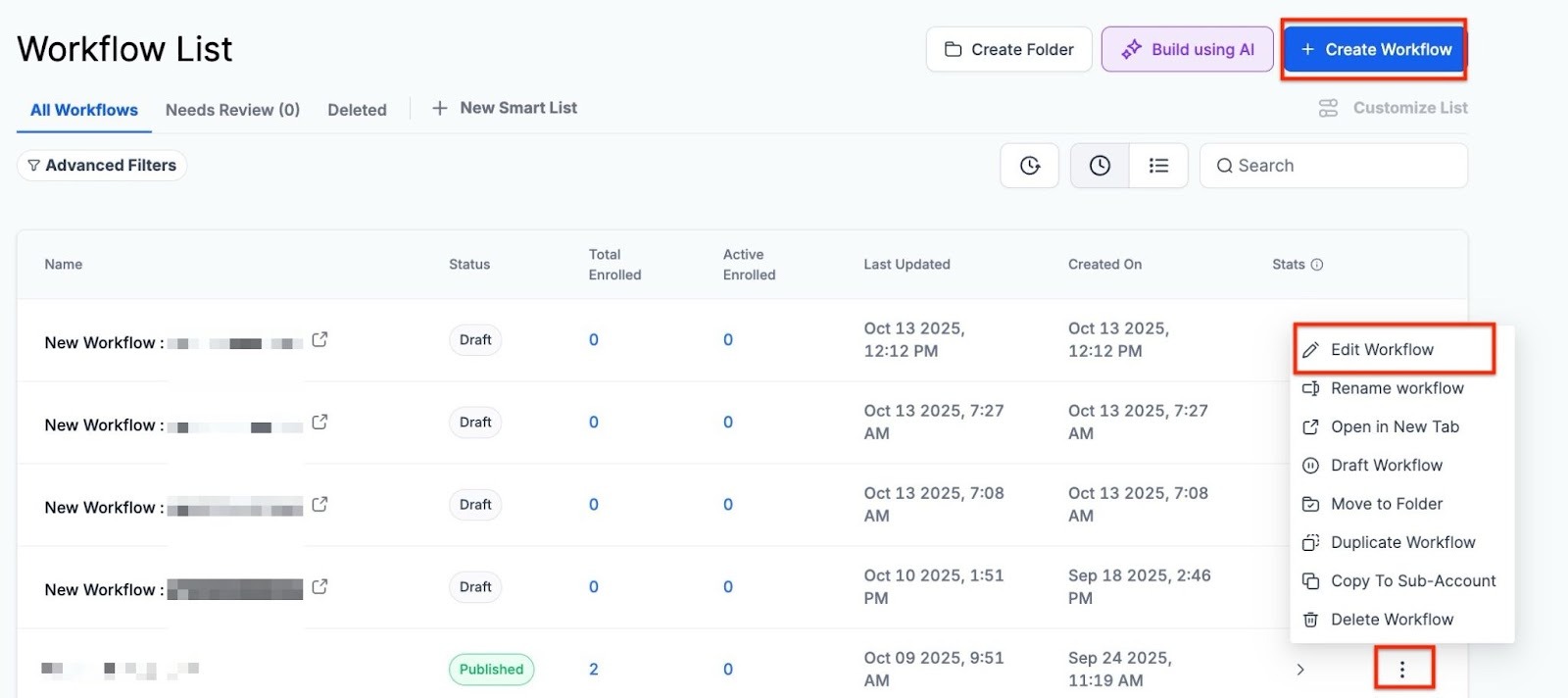
- Create a new workflow or edit the existing one for TikTok DMs by setting the trigger as "Customer Replied."
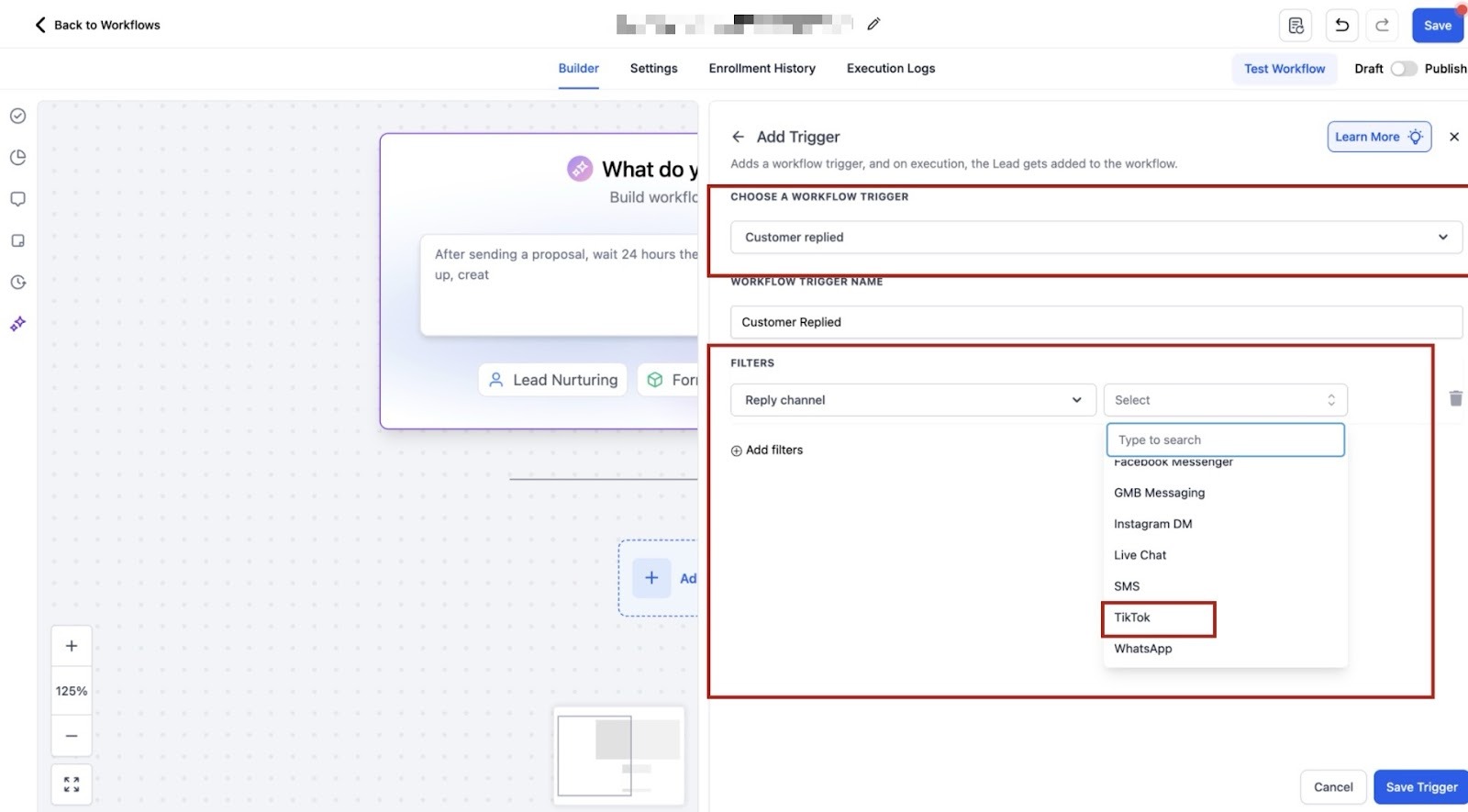
- Add a filter "Reply Channel” and then select “TikTok” from the drop-down option to ensure that the workflow trigger works only for the TikTok messages.
- Choose the action to configure automated responses using "TikTok Interactive Messages." This allows you to build a customized flow for your DMs.
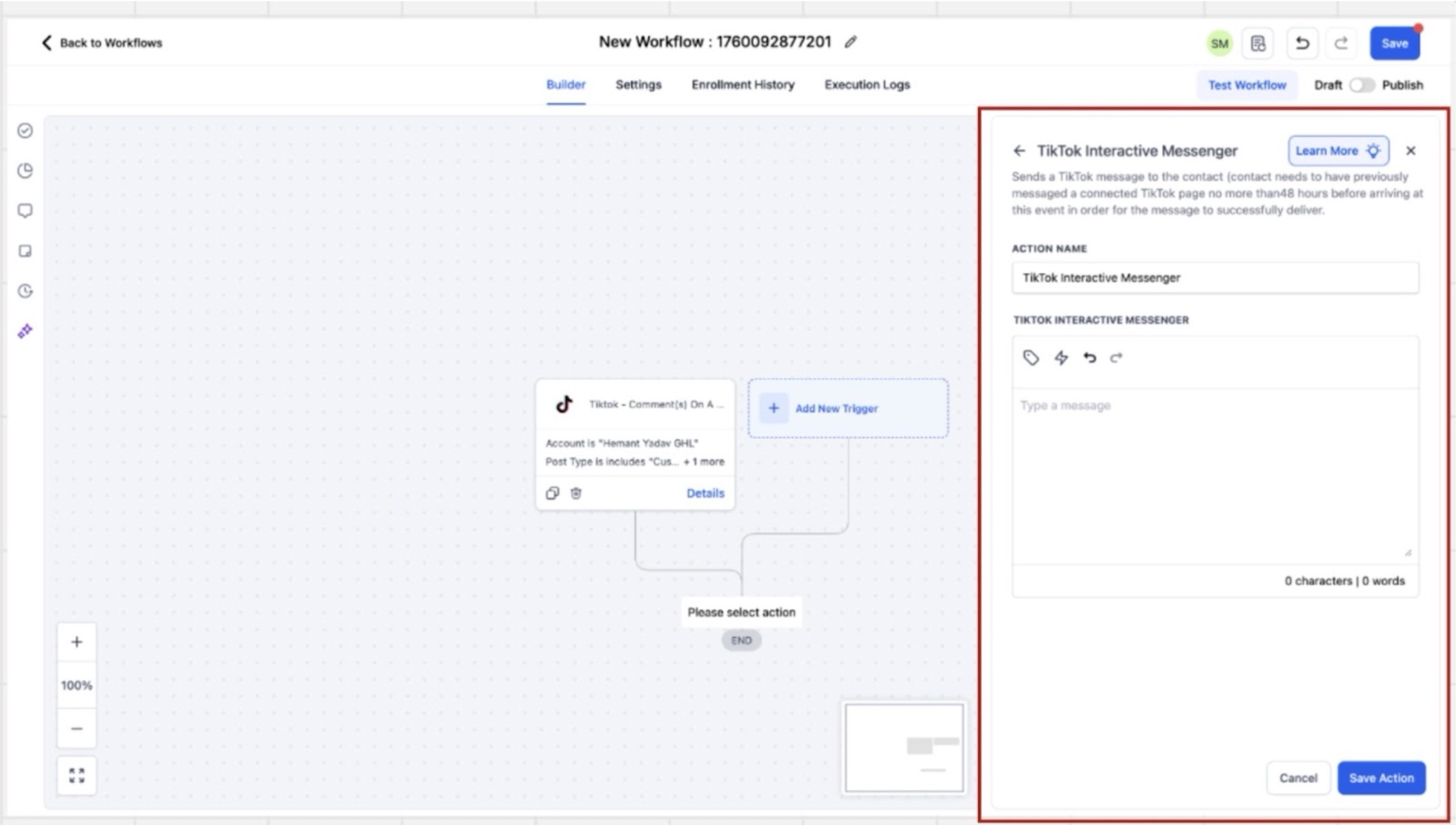
Step 3: Set Up a Workflow Comments from TikTok
Do the same: navigate to the Automations > Workflows, but this time choose the trigger as "TikTok Comment(s) on a Reel."
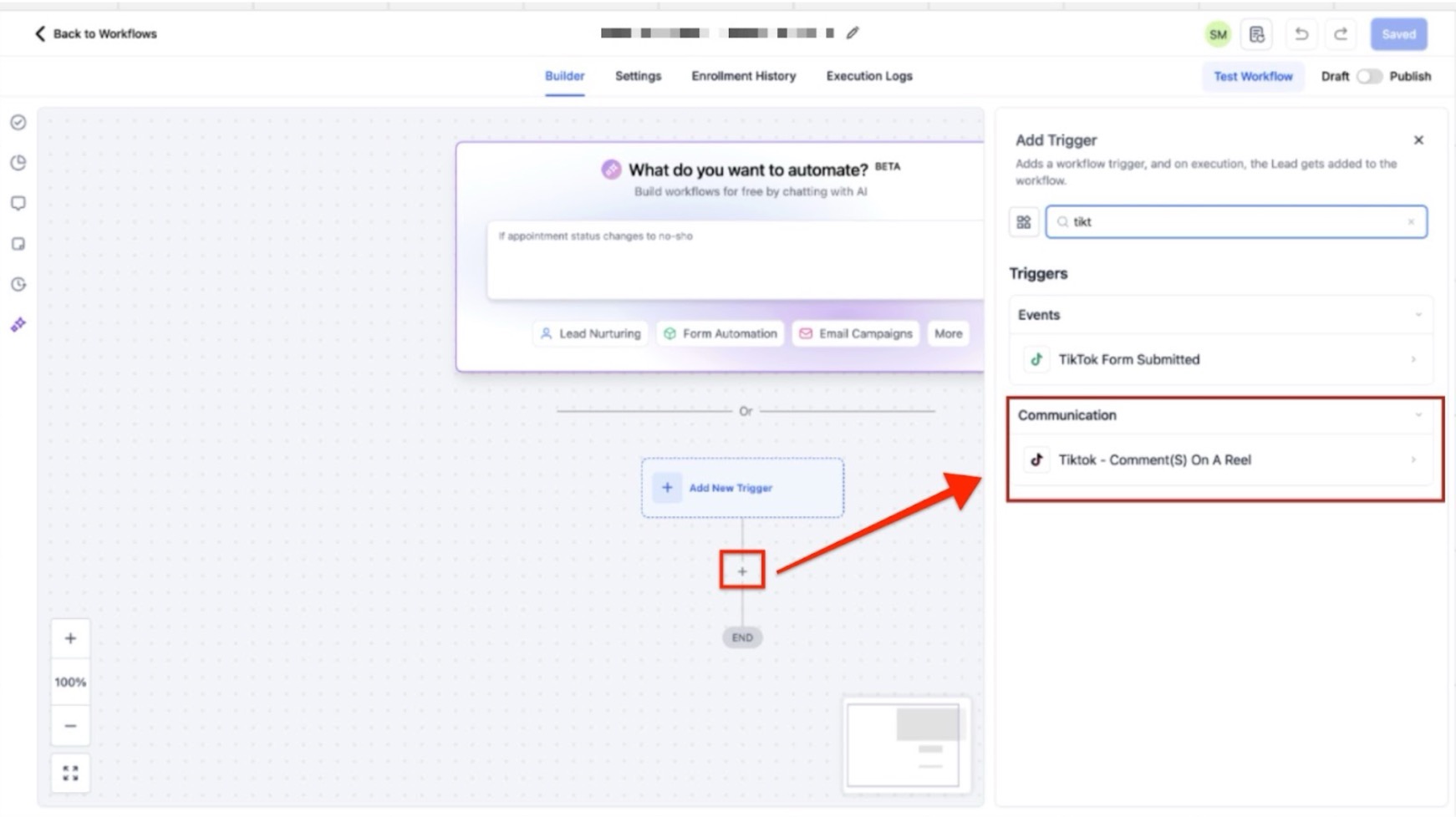
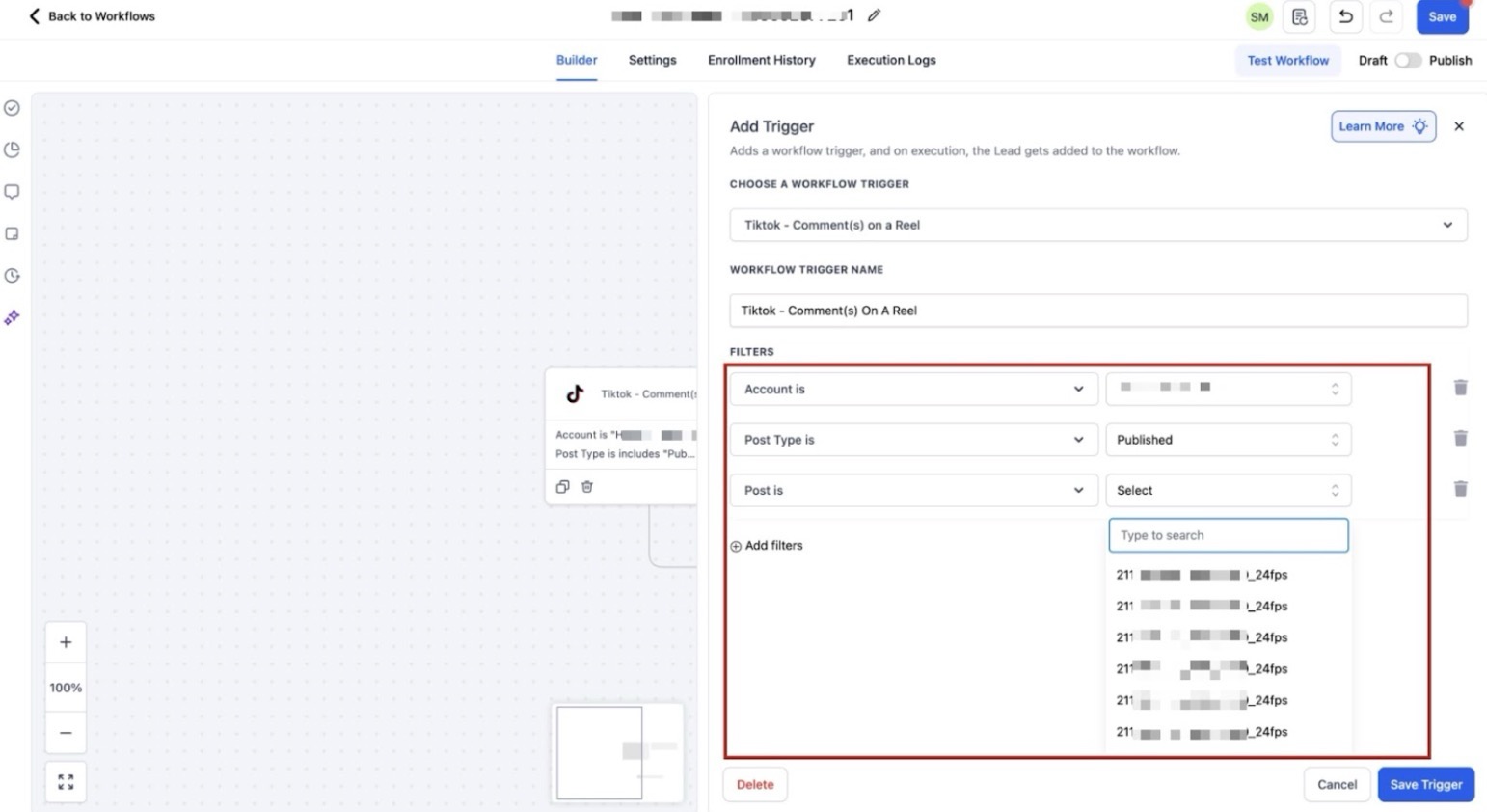
- Select your TikTok account and specify a post if necessary to target specific content.
- Set the action as "Reply in Comment" to automate comment responses, ensuring no engagement is missed.
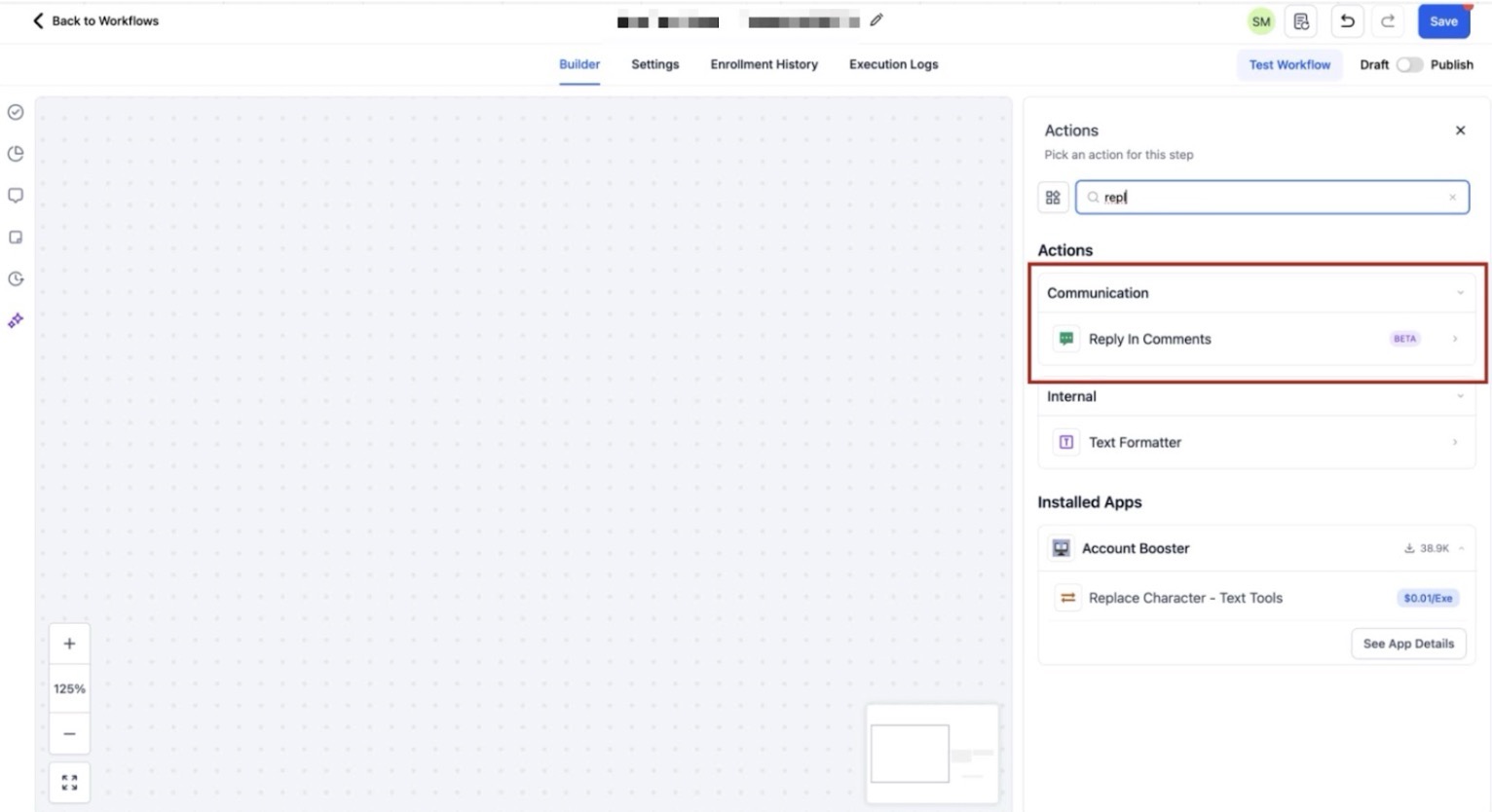
Pro Tips
- Personalize Automated Replies: While automation can save time, ensure that your messages are personalized and align with your brand voice. Generic replies can often feel impersonal, so take advantage of dynamic fields to customize responses based on user behavior or preferences.
- Monitor Performance: Regularly track the performance of your automations. Look at engagement rates, response times, and conversion metrics to ensure that your automated flows are performing optimally.
- Use Triggers Wisely: When setting up your automations, choose triggers that best reflect the type of interactions you want to automate. For instance, use the "Customer Replied" trigger for follow-up messages or the "TikTok Comment(s) on a Reel" trigger for posts that require frequent engagement.
FAQ (Frequently Asked Questions)
1. Can I automate responses for both DMs and comments simultaneously?
Yes, you can set up separate automations for TikTok DMs and comments, allowing you to manage both types of engagement independently but efficiently.
2. Do I need to manually set up automations for every TikTok post?
No, you can create default automations that apply to all posts. However, for specific posts, you can fine-tune the automation settings to respond in a way that suits the content.
3. How do I ensure my automation doesn’t overwhelm my followers?
You can control the frequency and triggers of your automation to prevent overwhelming your audience. Additionally, be sure to leave room for manual interactions when a personalized touch is required.