
Affiliate Manager Import- Import from First Promoter with your Campaigns, Affiliates, Leads and Commission
This article will walk you through how a guided import feature for syncing your affiliate campaigns and data can simplify the setup and management of your program, making it easier to track and oversee everything from one central hub.
Key Features and Benefits
The guided import experience is designed to streamline the setup process by guiding you through the integration of your affiliate campaigns, commissions, and affiliate data. Here are the core benefits:
- Simplified Setup: You’ll enjoy a step-by-step process to connect your account, select campaigns, and resolve any conflicts—no technical expertise needed.
- Enhanced Data Visibility: With improved campaign dashboards, tracking affiliate performance, revenue, customer acquisition, and churn has never been easier.
- Conflict Resolution: Automatically detects duplicate affiliate emails and provides clear options to manage conflicts, reducing errors and keeping your records clean.
- Efficient Affiliate Management: Affiliates are imported as contacts, and conflict resolution options are presented with clear details to prevent mistakes.
How to Use the Guided Import Feature
Getting started with the guided import process is straightforward. Here’s how you can integrate your affiliate campaigns and data seamlessly:
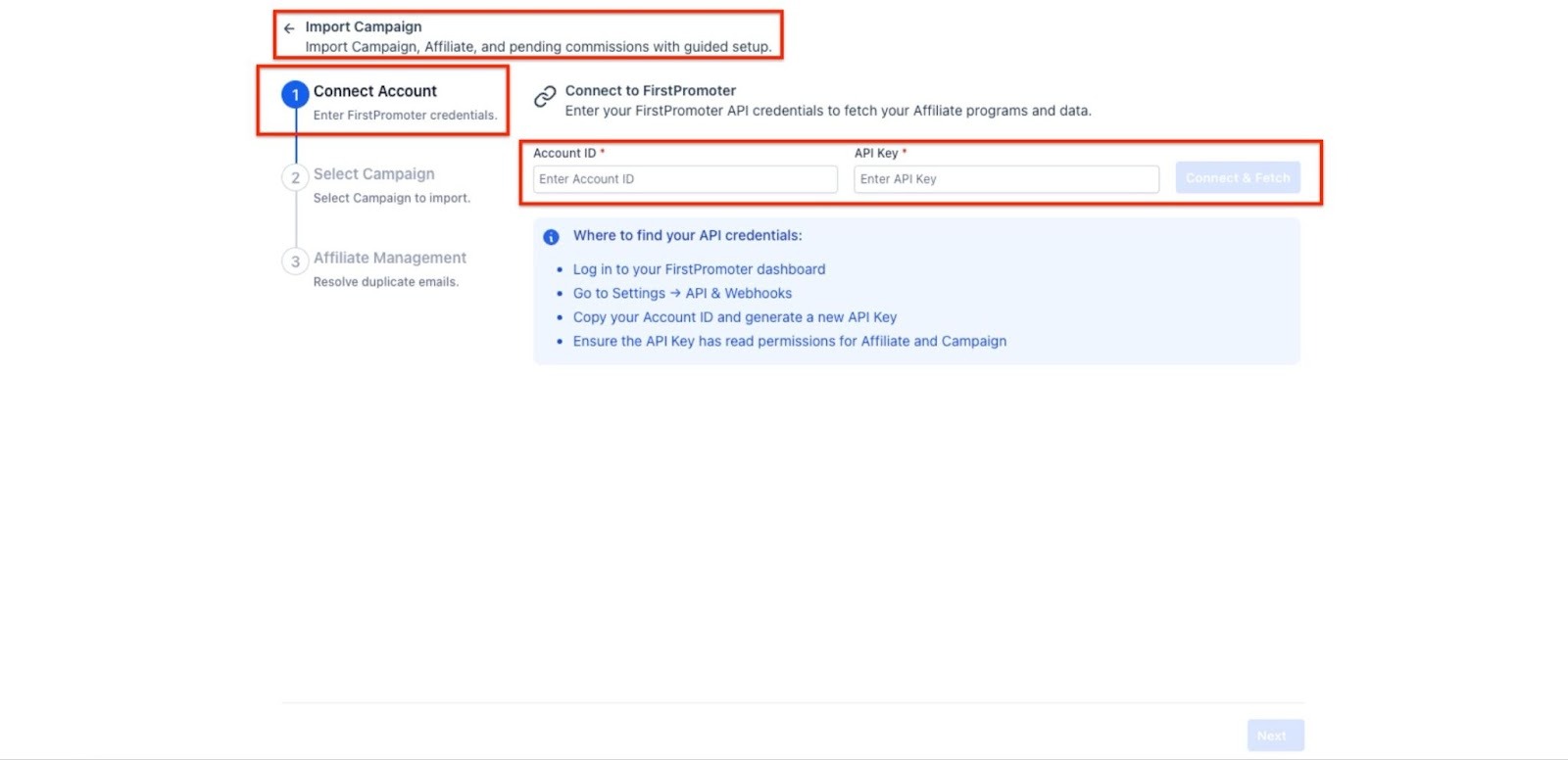
1- Connect Your Account
Navigate to Marketing > Affiliate Manager, select ‘Campaigns’ from the drop-down section and select ‘Import.’ You'll need to connect your account by entering your credentials, such as your Account ID and API Key. These can be easily retrieved from your dashboard, with helpful instructions guiding you along the way.
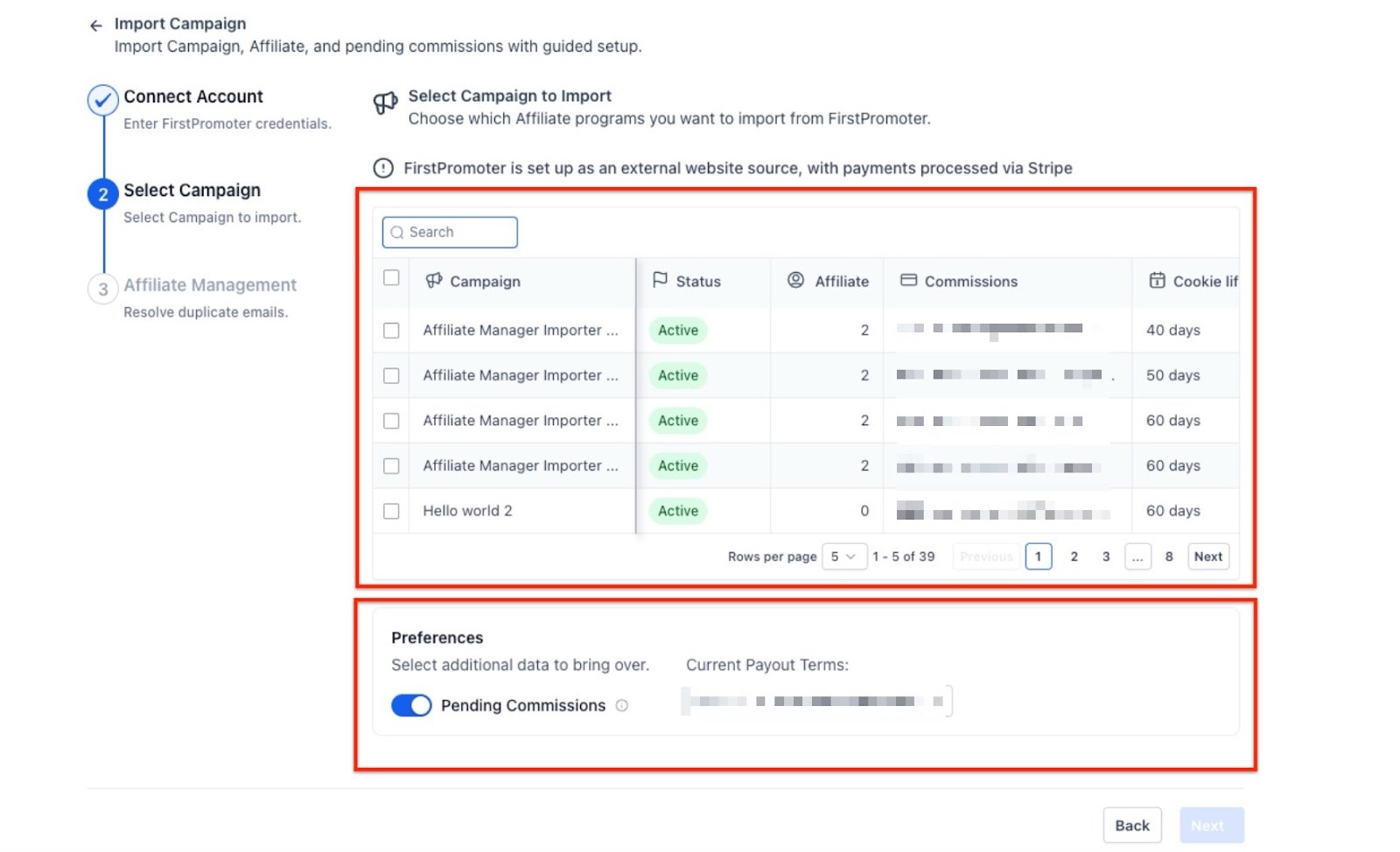
2- Select Campaigns
After connecting your account, you’ll be given the option to select the campaigns you want to import. Here, you can view the details of each campaign, such as the commission structure, number of affiliates, and cookie life. You’ll also have the option to include any pending commissions during the import process.
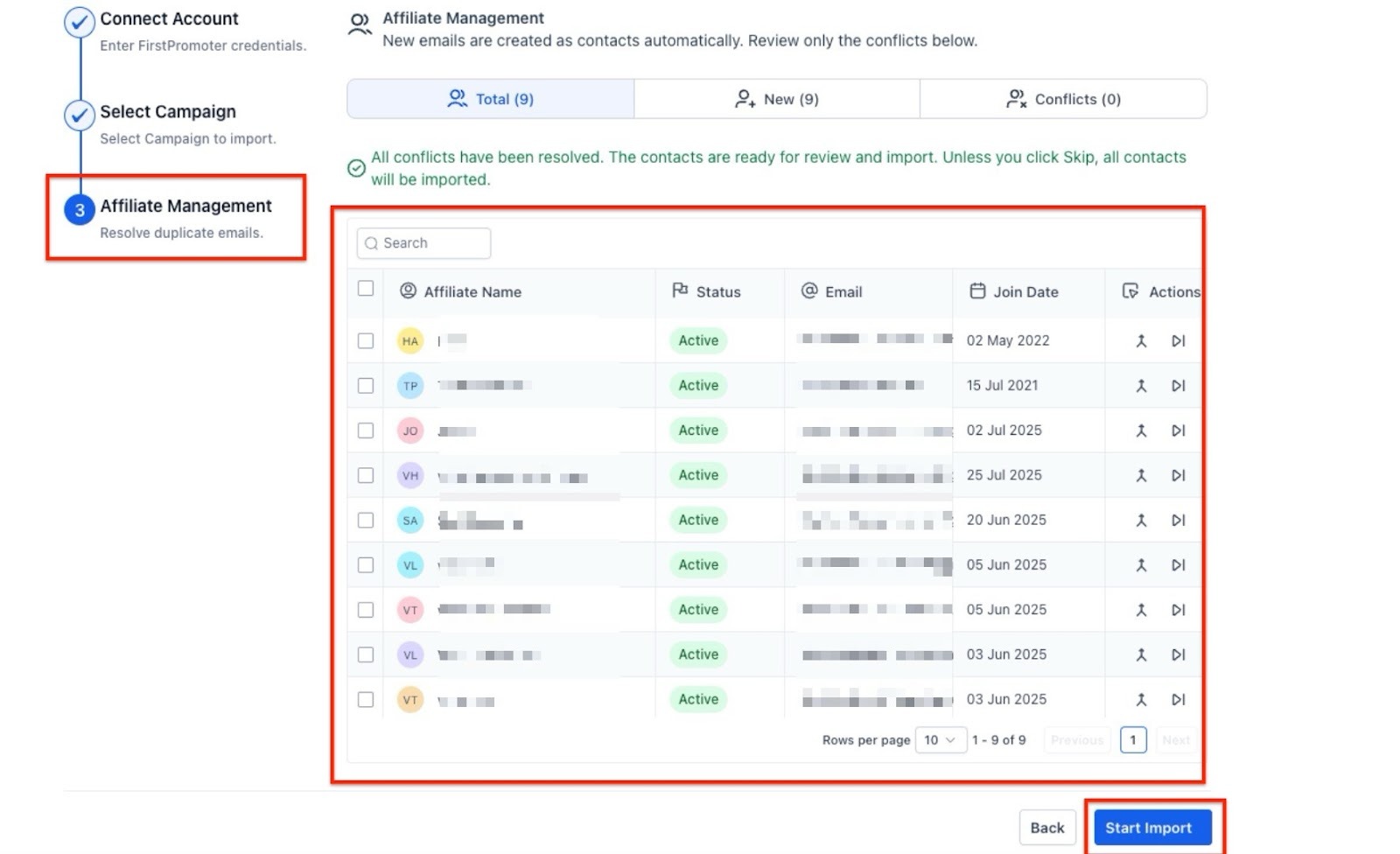
3- Affiliate Management
Once campaigns are selected, the next step focuses on affiliate management. Affiliates will be automatically created as contacts in your system. If there are any duplicates (i.e., an affiliate has already been added), the system will highlight these and give you the option to merge, skip, or resolve the conflicts. This ensures that your records stay accurate and clean.
Pro Tips
- Be Proactive in Conflict Resolution: While the system detects duplicate emails automatically, it’s always a good idea to carefully review any conflicts to ensure you’re not missing important affiliate information. Regularly clean up your account for the best data management practices.
- Review Affiliate Campaigns Regularly: Regularly check on your campaigns' status and performance in the dashboard. This will help you identify trends, understand which affiliates are performing the best, and make adjustments where necessary.
- Use Data Insights to Optimize Commissions: With detailed visibility into your affiliates' revenue and commissions, use this information to optimize your programs. Adjust commission structures based on performance and identify areas for growth.
FAQ
Q1: What happens if I don’t resolve affiliate conflicts during the import process?
If conflicts are left unresolved, the system will either skip the duplicate or keep the existing record. However, resolving them ensures that your records are accurate, and there are no potential errors or duplicates in your system.
Q2: Can I import only some of my campaigns?
Yes, you can select which campaigns to import by reviewing each campaign’s details before finalizing the import process. This gives you control over the data you want to bring into your system.
Q3: How can I ensure that my affiliate data remains clean after import?
The system will help you detect duplicates in real time. It's also essential to conduct regular audits of your account and affiliate data, using the campaign dashboard’s insights to clean up any discrepancies.
Q4: Will the system automatically detect new affiliates after import?
Yes, new affiliates will automatically be created as contacts during the import process. If they’re already present, the system will highlight any conflicts for your review.
Q5: Can I change the commission structure after importing the campaigns?
Yes, the system allows flexibility in managing your commission structures even after the import process. You can adjust your settings within the campaign management section as needed.